Made for iPhone · Coming soon
Remember the moment.
Find the photo.
No dates to remember. No endless scrolling.
Describe the scene in your mind. PhotoFind helps you find it.
Free at launch · iOS 26 or later
✳
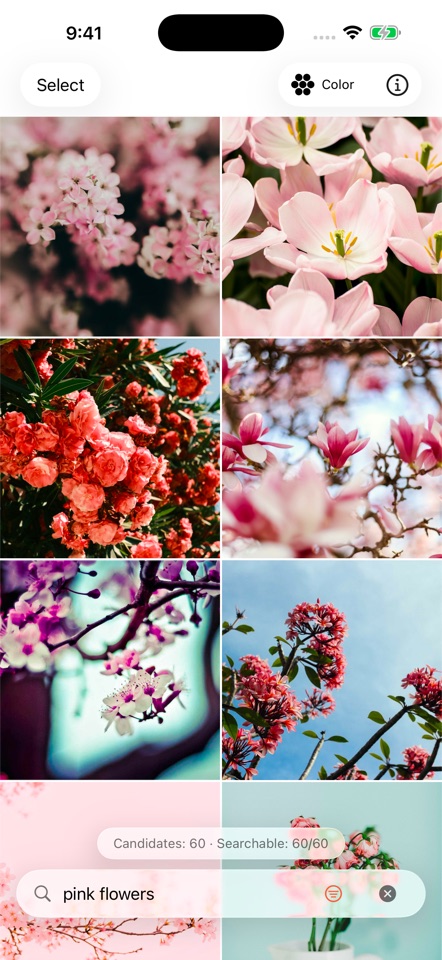
“pink flowers”Start with the scene you remember
Real app screens · Example photos
01 Describe it02 Find it with an image03 Explore by color
Less scrolling. More rediscovering.
A memory has more than one clue.
A few words, a reference image, a shade of blue. Start with whatever
you remember.
Aa
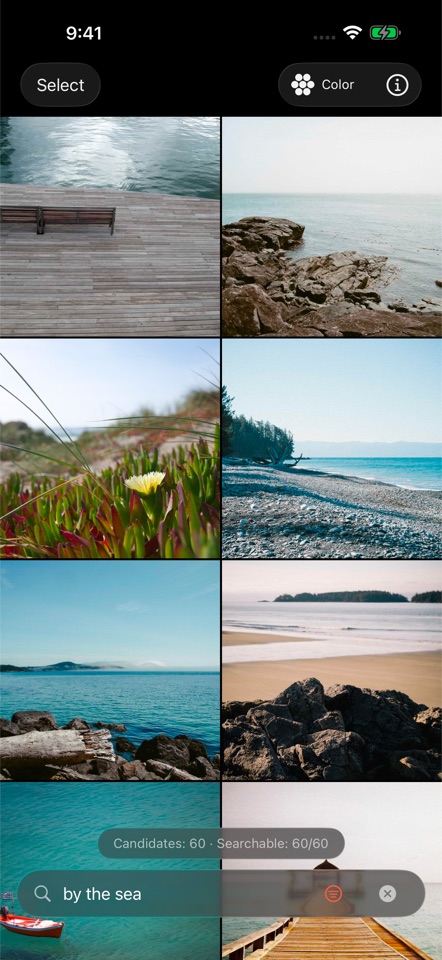
If you can describe it, you can search it.
A sunset by the sea. Coffee on a quiet afternoon. A photo with
friends. Describe everyday moments in English or Chinese, without
tagging your library first.
sunset by the seaa cup of coffeephotos with friends
▧▧
Let one photo lead to another.
Choose a reference image to find visually similar photos in your
library. A starting point for the moments that are hard to put
into words.
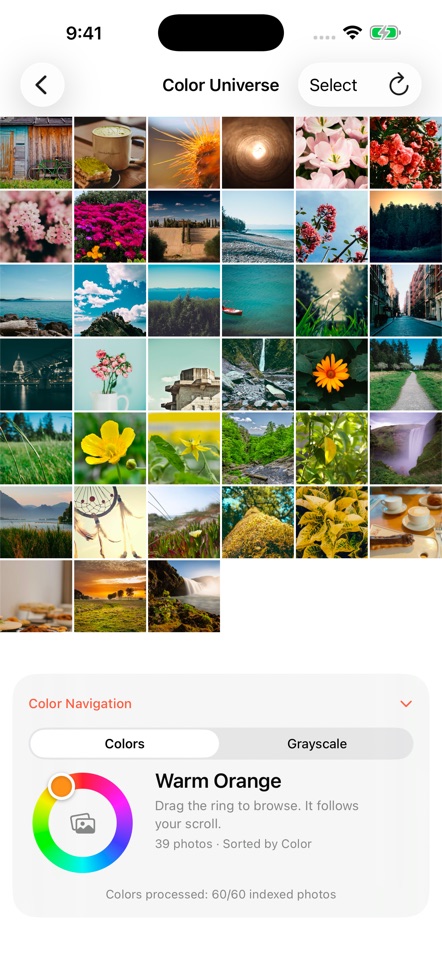
Color Universe
A different way
to see your memories.
From warm orange and soft pink to deep blue, explore your photos in
a continuous spectrum. Slide the color wheel to find the shade you
have in mind.
Or explore black, white, and gray on their own.
Your photos. Your iPhone.
Find your memories.
Keep them yours.
Photo analysis and search happen on your device. We do not operate
a server that receives your photos, queries, or indexes. No ads or
third-party analytics.
Read the privacy policy ↗
-
On-device processing
Photos and search indexes stay on your device.
-
Search offline
Once the model is downloaded, indexed local photos can be
searched offline.
-
Access is your choice
Allow selected photos or your full library, and change access at
any time.
Made for the everyday
Find it. Then make it yours again.
Select, share, and organize
Take your next step with the photos you find. Deleting requires
confirmation and changes your system photo library.
At home in light and dark
Choose Light, Dark, or follow your system appearance.
In your own words
English and Chinese interfaces follow your iOS app language
setting.
A little setup, once
Get ready to rediscover.
-
01
Download the model
First use downloads an Apple-hosted model of about 388 MB. A
Wi-Fi connection is recommended.
-
02
Choose photo access
Give access to all photos or just a selection. You decide what
PhotoFind can search.
-
03
Build a local index
The first pass may warm your phone. Later passes usually process
only new or edited photos.
A few things to know
Can I download PhotoFind yet?
PhotoFind is preparing for launch. The first version is planned to
be free. An App Store download link will appear here when it is
available.
Do I always need an internet connection?
You need internet for the initial model download. After setup,
indexed local photos can be searched offline. Accessing or
choosing to download iCloud-only photos still requires a
connection.
Are my photos uploaded to a server?
We do not operate a server that receives photos, searches, or
indexes. The initial model download uses Apple services. Accessing
iCloud photos or enabling their download uses Apple’s Photos
services.
Why is a photo missing from search?
Check photo permissions and indexing progress. Photos without
access, photos still waiting to be indexed, and undownloaded
iCloud-only photos may not appear. Results may also differ from
what you had in mind.
Can I recover a deleted photo?
Deleting requires confirmation and changes the system photo
library. Use Recently Deleted in Apple Photos while recovery is
still available.

Your memories, a little closer.
A few words. A photo. A color.
Made for iPhone · Coming soon